2024 Year in Review: Advancements in Design Software at CAD Micro

SOLIDWORKS

As we reflect on 2024, it’s clear that this year has been transformative for CAD Micro and the design software landscape, particularly with SOLIDWORKS. Here’s a look at the key advancements that have shaped our journey and empowered our community of designers and engineers.

Adding Stock Materials in Solidworks CAM and CAMWorks

CAMWorks-programming

If you’ve used Solidworks CAM or CAMWorks, you’re likely familiar with the various stock materials that are available by default with the software. This material selected for stock can be used to drive the feeds and speeds in a manufacturing program. So what do you do if the material you are using isn’t available in the default material list?

Unlocking the Power of DELMIA NC Shop Floor Programmer 

ShopFloorProgrammer- Delmia

In the ever-evolving world of manufacturing, efficiency and precision are paramount. The DELMIA NC Shop Floor Programmer role on the 3DEXPERIENCE Platform is designed to meet these demands, offering advanced capabilities that streamline the programming of CNC machines. This blog will explore the key features and benefits of this powerful tool, helping you understand how it can transform your manufacturing processes.

Compare SOLIDWORKS Solutions Available for Online Purchase

SOLIDWORKS 3DEXPERIENCE Creator

SOLIDWORKS is a trusted name in the world of 3D CAD design, offering professional-grade solutions that cater to a wide range of industries. Whether you’re a seasoned engineer, a product designer, or part of a large team, finding the right SOLIDWORKS solution to meet your needs is crucial.

How to Open CATIA Files on the 3DEXPERIENCE Platform: A Step-by-Step Guide

3dexperience Draftsight

In today’s fast-design and engineering world, seamless collaboration is key. Dassault Systèmes’ 3DEXPERIENCE Platform revolutionizes this by allowing users to open and work with files from different software solutions like CATIA and SolidWorks without needing separate licenses. This guide will walk you through the process of opening CATIA files on the 3DEXPERIENCE Platform.

Everything You Need to Know About Buying SOLIDWORKS Online

SW Online Selling

If you’re considering purchasing SOLIDWORKS online, you likely have some questions about what to expect. With a variety of features, pricing models, and support options, it’s important to have all the information before making a decision. This blog will address the most frequently asked questions about buying SOLIDWORKS online, covering everything from installation to compatibility and payment options.

Unlock the Power of SOLIDWORKS: Now Available for Online Purchase

SOLIDWORKS 3DX Upgrade Promo Website Banner

We’re excited to announce that SOLIDWORKS, the industry-leading CAD software trusted by engineers and designers worldwide, is now available for instant online purchase! Whether you’re looking to streamline your product development, enhance your design capabilities, or explore new innovations, you can now access the powerful features of SOLIDWORKS with just a few clicks.

Buy SOLIDWORKS Solutions Now

SW Online Selling

SOLUTION Discover the best ways to buy SOLIDWORKS tailored to your requirements. CAD Micro offers assistance with pricing, licensing options, product demos, and comprehensive training. Contact us Buy Online Now → What is SOLIDWORKS ? Buy from a CAD Micro Specialist Purchasing SOLIDWORKS from CAD Micro connects you with a solutions expert who will guide […]

How Simulation is Empowering Startups with SOLIDWORKS

CAD Micro innovation blog hero banner

Stating a business comes with great excitement, but also numerous challenges. Many startups face difficulties in securing funding, attracting top talent, and designing products that are both functional and visually appealing. In today’s market, the demand for smart, connected products adds complexity to product development, especially for startups, which often need to collaborate across engineering disciplines and face high testing costs.

However, advanced simulation tools, once only available to larger companies, are now more accessible to startups through cloud-based solutions. These tools allow smaller businesses to optimize product development, reduce costs, and improve innovation, leveling the playing field.


SWOOD CAM Training (Without Nesting) Course Outline

SWOOD CAM

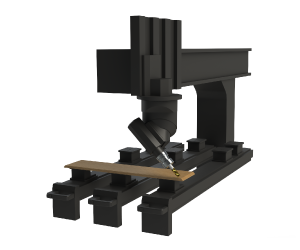
The course enables students to learn the SWOOD CAM interface and best practices. More specifically, users will learn to create machine tools and aggregates, program machinable features both automatically and interactively, and learn 4th and 5th axis programming. In addition, training items include toolpath simulation, post processing, generating shop reports and SWOOD CAM Nesting capabilities (additional module).